Website setup
Icon
Themes
Dark
Copyright

How to Know What Mods My Server Requires

Learn how to identify the mods required by your Minecraft server and make sure your game is correctly configured before joining.

Guide: Follow the images below to check the required mods and prepare your Minecraft client.
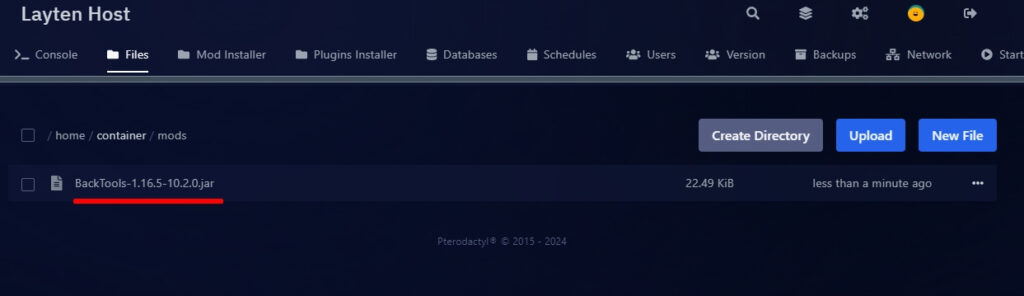
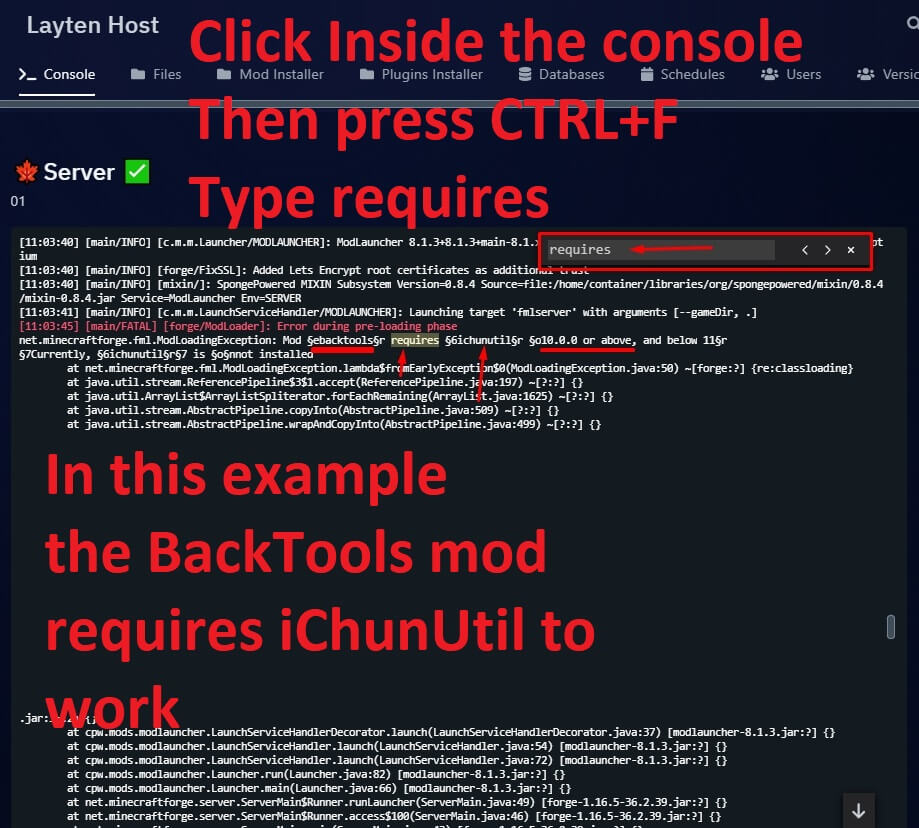
Step 1 Minecraft server mod requirements
Open your Minecraft launcher and select the correct server profile.
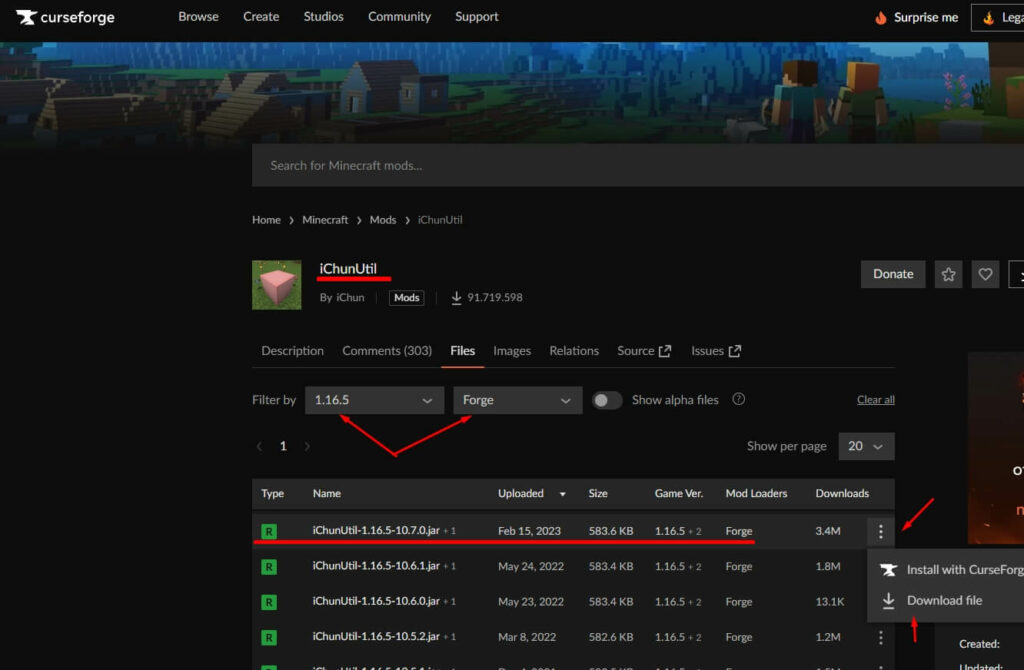
Step 2 Minecraft server mod list
Check the server information to find the required mod loader and version.
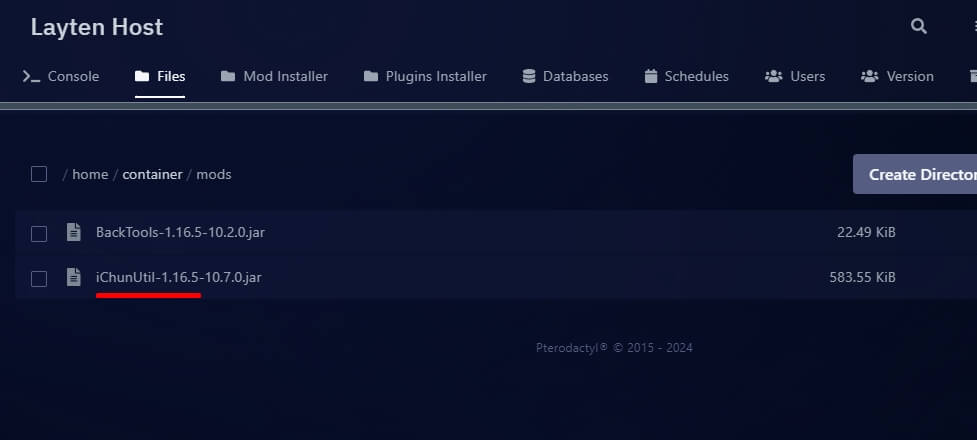
Step 3 Minecraft mods configuration
Compare the mods installed on your computer with the server requirements.
Step 4 Minecraft required mods
Install any missing mods using the correct Minecraft version.
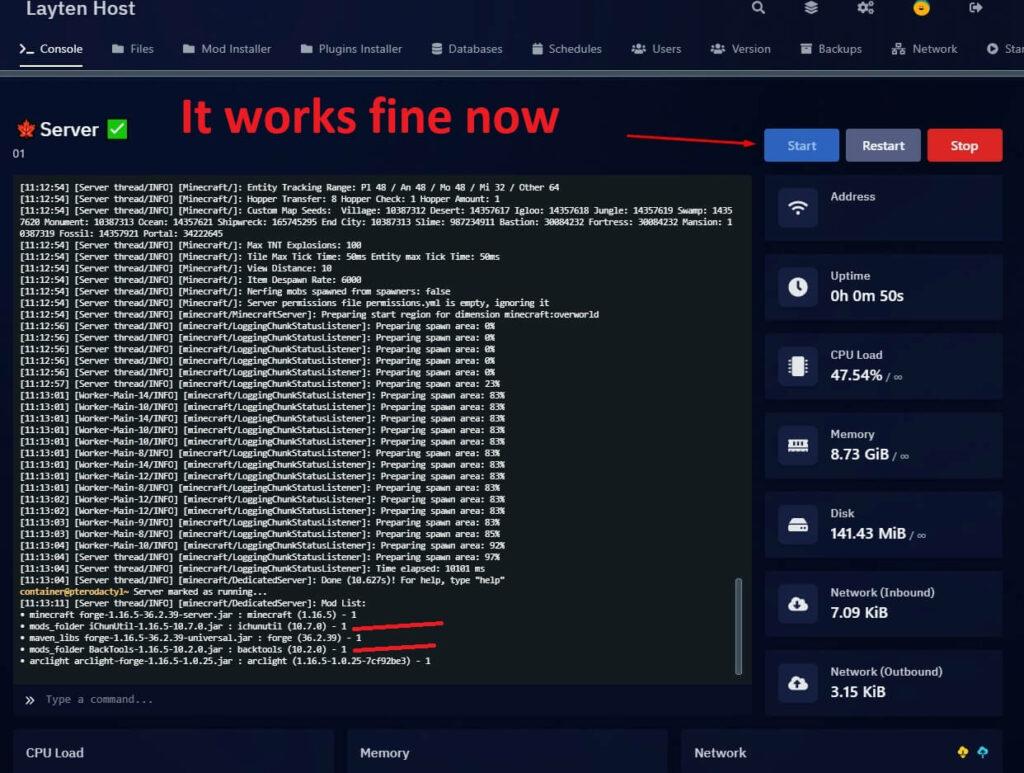
Step 5 Minecraft server ready to join
Once everything matches, launch Minecraft and join your server.
Everything ready? Make sure the Minecraft version, mod loader, and installed mods match the server exactly.