Website setup

Themes
Dark
Copyright
Copyright © 2026, Layten, All Rights Reserved
Copyright © 2026, Layten, All Rights Reserved
Want to rent your own fully customized server? Layten Hosting
How to Install OptiFine
This guide covers the complete OptiFine installation process.
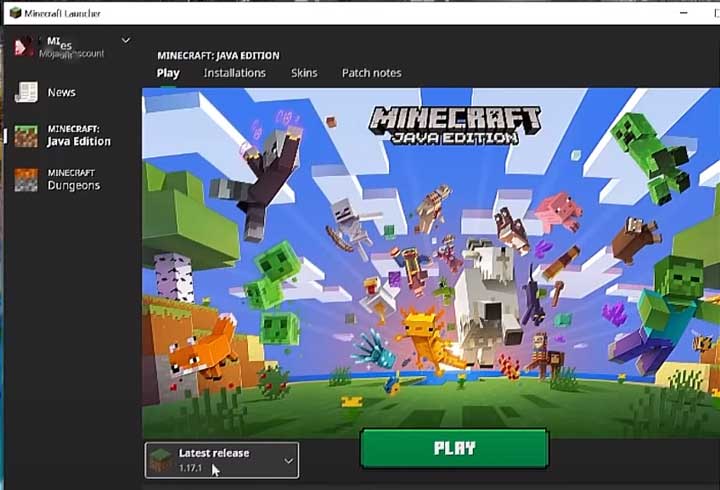
Before downloading OptiFine, launch Minecraft and select Latest Release on the left of the Play button. This allows you to check which version of Minecraft is installed on your computer.
Step 1: Go to OptiFine.net/downloads . You will see a list of all the available versions, with the latest version at the top.
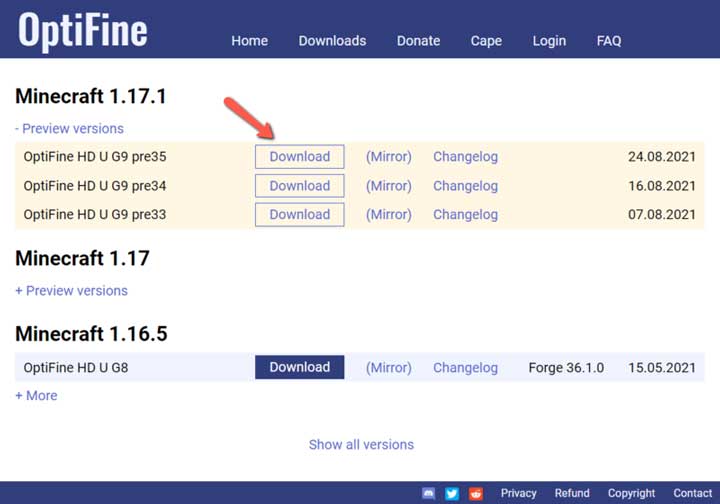
Step 2: If the version you want is not available, click on Show all versions at the bottom of the page. When you find your version, click on the Download button.
Step 3: You will be redirected to an advertisement page. Wait for 5–10 seconds until the Skip button appears in the top-right corner. Click on it to continue.
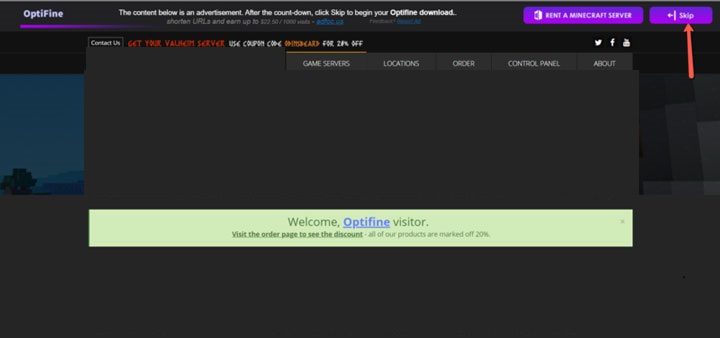
Step 4: On the next page, click on Download to save the installer to your computer.
Step 1: Double-click the OptiFine setup file.
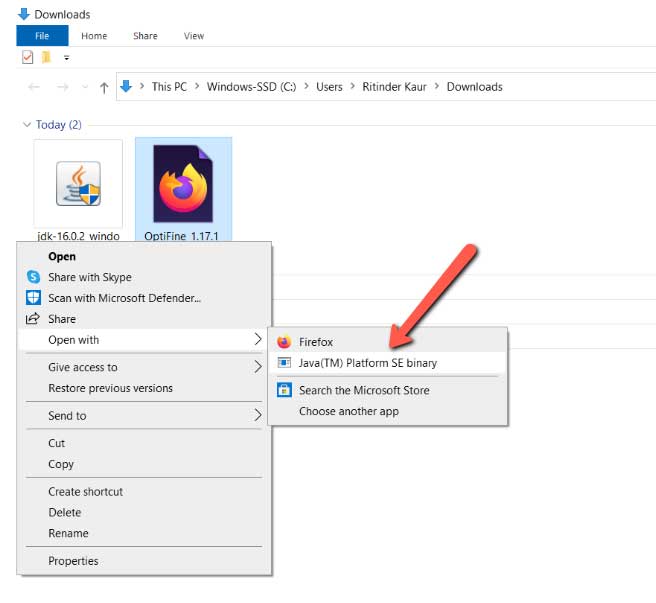
Step 2: Select Open with > Java (™) Platform SE Binary.
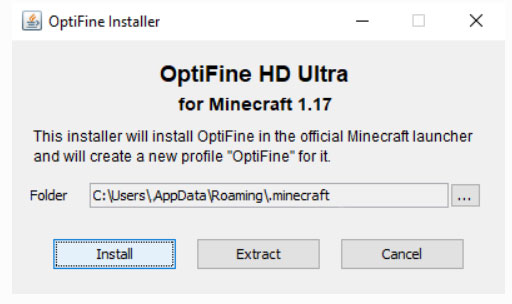
Step 3: A window will appear showing the Minecraft folder location. This is where OptiFine will be installed. Make sure Minecraft is already installed, then click on Install.
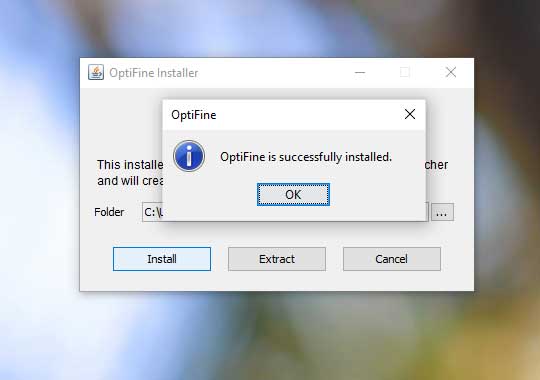
Step 4: When prompted, select OK to confirm that OptiFine was installed successfully.
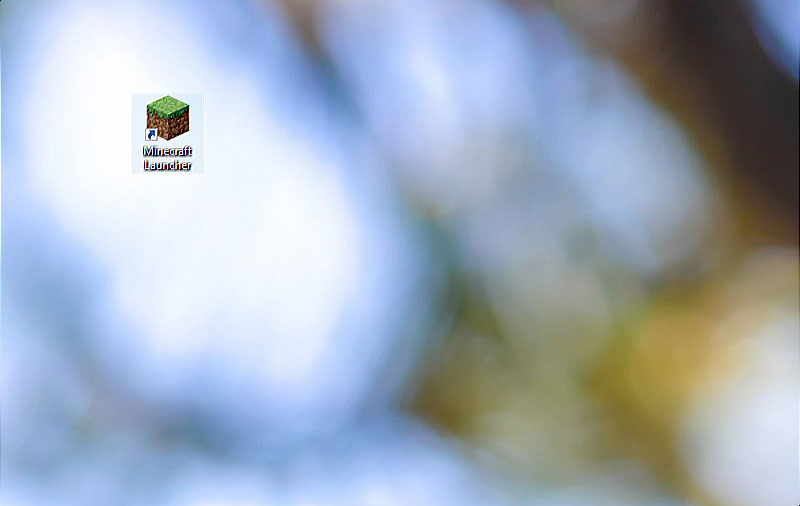
Step 1: Open the Minecraft Launcher.
Step 2: To the left of the PLAY button, you should see the selected version. If not, click on the drop-down arrow and choose the OptiFine version.
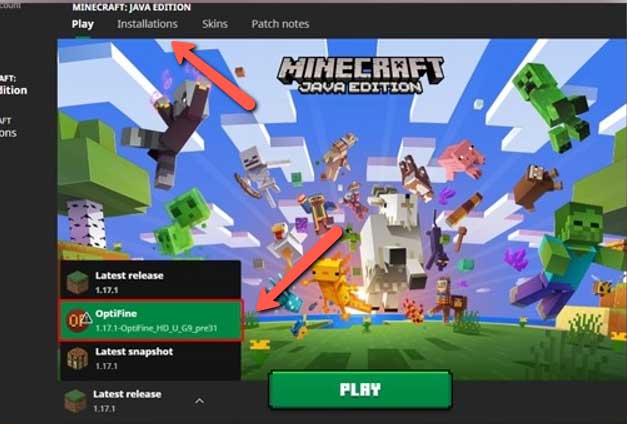
Step 3: If your downloaded version does not appear, click on Installations at the top of the launcher. Find your OptiFine installation and select Play.
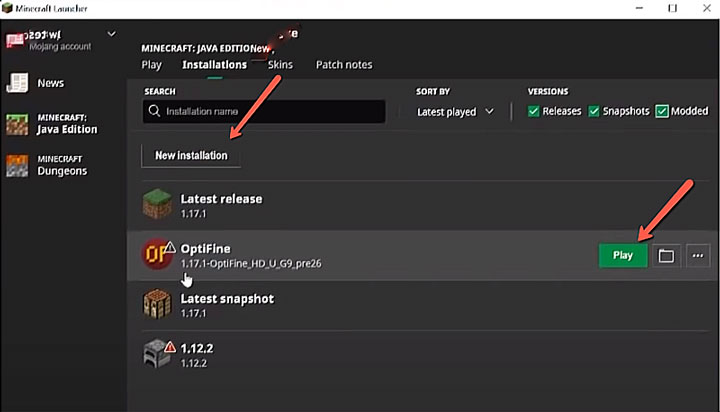
Step 4: You can also click on New Installation. A window will appear with the title Create new installation.
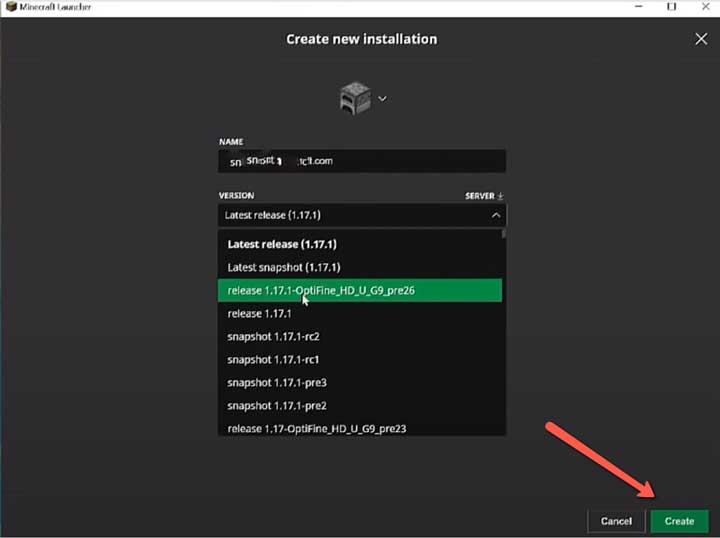
Step 5: Give the installation a name. Under Version, select the OptiFine version you downloaded. Then click on Create.
Step 6: Launch Minecraft.
Step 7: Once the game has loaded, open Video Settings. If shaders and additional animations are available, OptiFine was installed successfully.
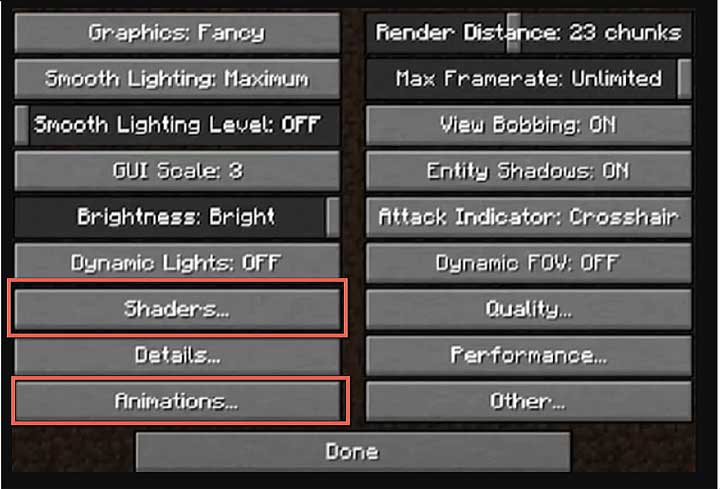
Browse through the different menus in Video Settings. Hover over each setting to see what it does and which options can improve your performance.
Shader packs can change the lighting and visual appearance of your Minecraft world. Go to Minecraft > Options > Video Settings > Shaders. Open the Shaders Folder and move your downloaded shader pack into it. Restart Minecraft and select the shader from the Shaders menu.
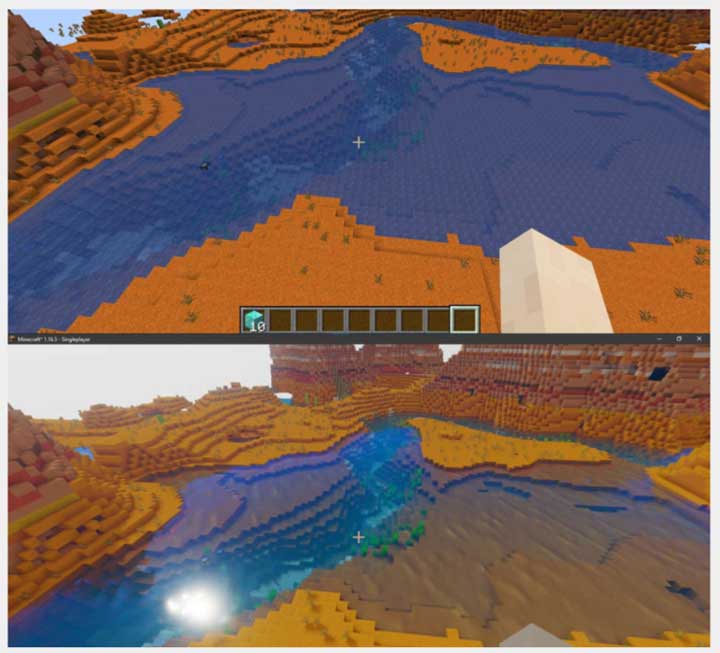
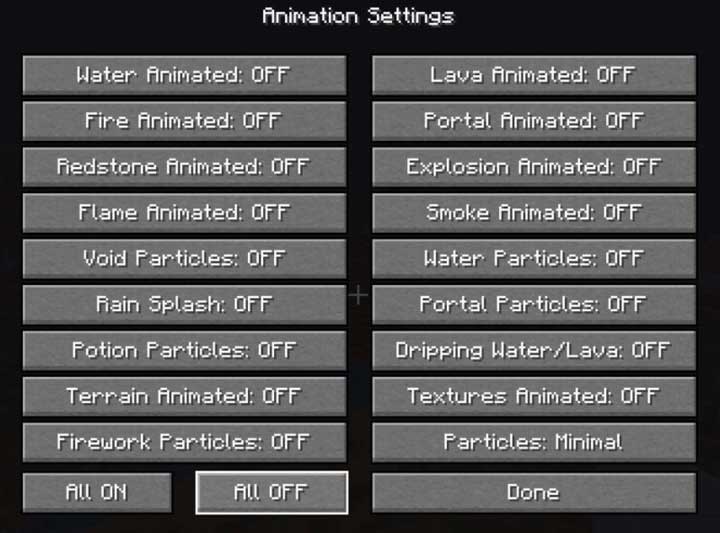
OptiFine allows you to activate different animation effects. Keep in mind that enabling too many effects can reduce your FPS, so choose the options that best suit your computer.
When you want to update OptiFine, you do not need to delete the previous version. Simply download and install the latest version from the official OptiFine website. After that, select the new version in the Minecraft Launcher and start the game.