Website setup

Themes
Dark
Copyright
Copyright © 2026, Layten, All Rights Reserved
Copyright © 2026, Layten, All Rights Reserved
You want a Server Rent your own server
fully customized
Layten Hosting
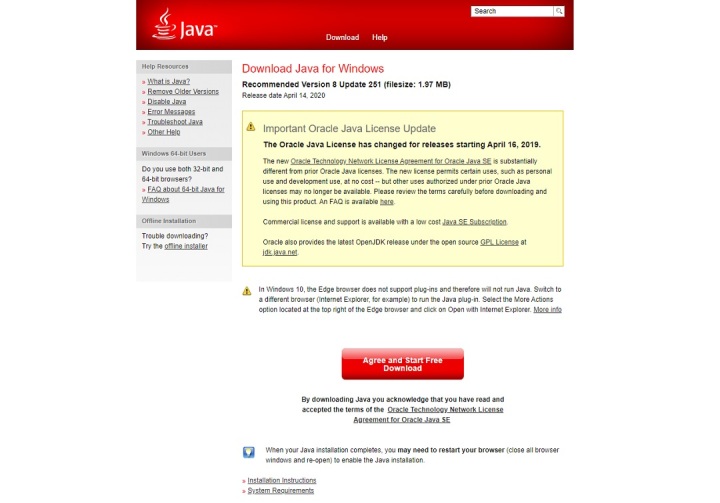
The first thing you’ll want to do is ensure that Java is installed on your computer. If it’s not, head on over to the official Java website and click on the Java Download button.
From there, you’ll be prompted to accept a few agreements, and the installation will begin. Follow the instructions to complete the installation.
Once Java is installed, go ahead and run Minecraft. We recommend logging in to your account and entering a world to verify that the game runs properly before installing Forge.
Running Minecraft will ensure that all the necessary folder locations have been created on your computer before attempting to install Forge.
Navigate to the official Forge website and choose the version you want to install.
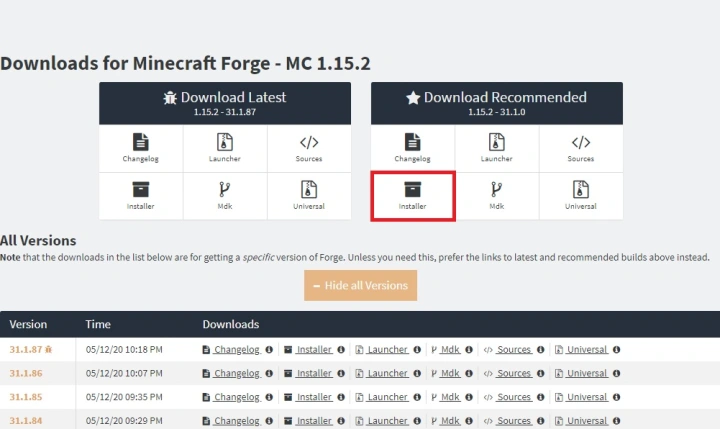
That’s it for installing Forge! Next, you should verify that the installation works correctly.
Check Minecraft to make sure Forge is running correctly.
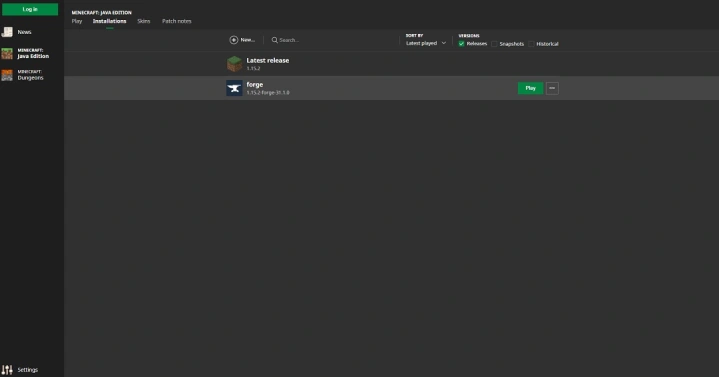
If you can log in with the Forge installation, you're ready to use modded Minecraft.
Once Forge is properly set up, adding mods is straightforward. We recommend using CurseForge to find compatible Minecraft mods.
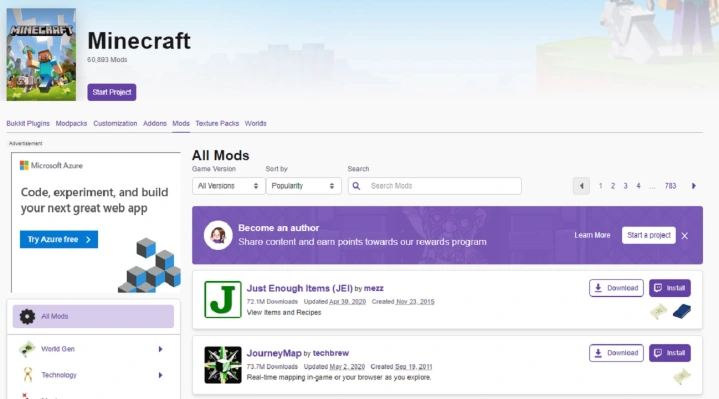
Once the files are inside the Mods folder, launch Minecraft using the Forge installation so your mods can load correctly.
Forge makes it easy to manage your Minecraft mods. Once everything is configured correctly, you can enjoy your new modded Minecraft experience.
You can also disable a mod by adding .disabled to the end of its filename. Remove .disabled to enable the mod again.