Website setup

Themes
Dark
Copyright
Copyright © 2026, Layten, All Rights Reserved
Copyright © 2026, Layten, All Rights Reserved
Customize your Minecraft server with a unique and eye-catching Message of the Day.
Your server's MOTD is one of the first things players see when they add your server to their Minecraft multiplayer list. Follow the steps below to create and customize yours.
Start by opening your Minecraft server management panel and navigating to the configuration area where your server settings are located.

Locate the MOTD or Message of the Day option in your server configuration. This is where the text displayed in the Minecraft server list can be customized.

Tip: You can use Minecraft formatting and colors to make your server MOTD stand out from the others.
Instead of manually creating your MOTD, you can use an online MOTD creator to design it visually and generate the formatting required for your Minecraft server.
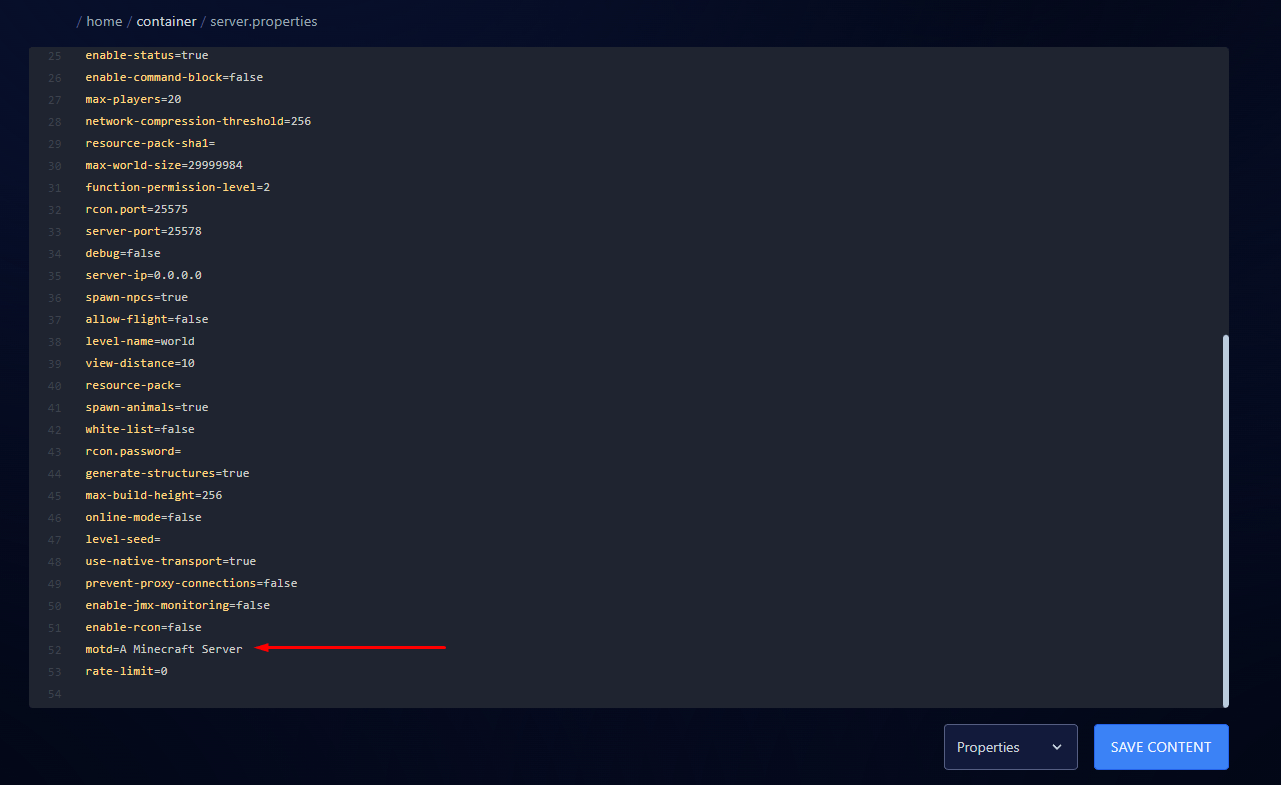
Create your own colorful Minecraft server MOTD, experiment with different styles and copy the generated result into your server configuration.
Open MOTD Creator →Once you've created your design, copy the generated MOTD and paste it into the appropriate server configuration field.
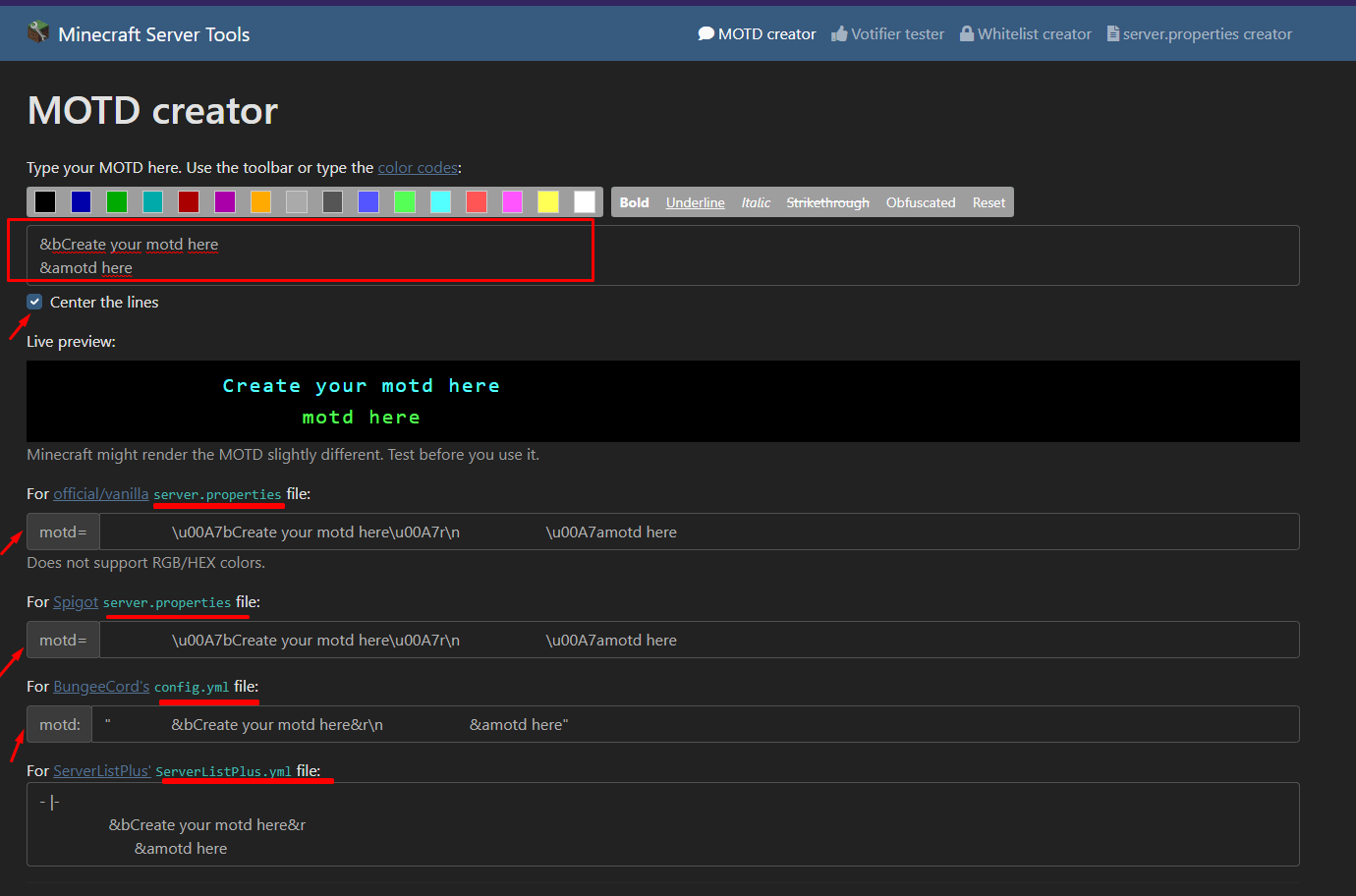
Almost done! Save your configuration and restart or reload your server if required for the new MOTD to appear.
A customized MOTD gives your Minecraft server a more unique identity and helps players recognize it in their server list.
Explore Layten Hosting →